Both a NAS (network-attached storage) device and a simple external hard drive solve the same underlying problem — storing a media library larger than a laptop’s internal drive can hold — but they serve genuinely different household setups. The right choice depends mostly on how many devices and people need access to that library at the same time, not on which one is objectively “better” storage.
External hard drives: simple, portable, single-connection
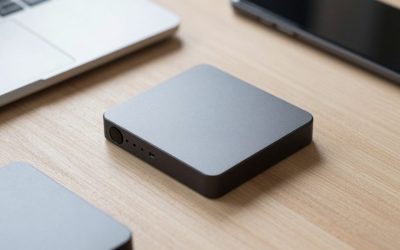
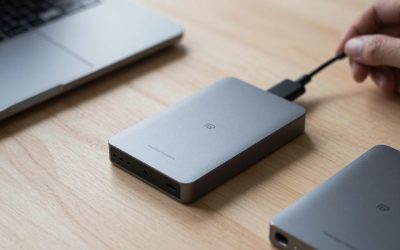
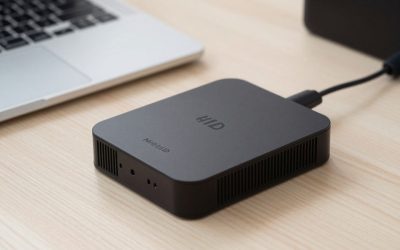
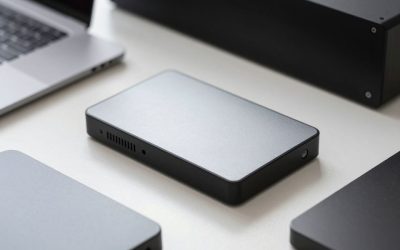
A plug-and-play external drive connects to one computer at a time over USB and requires no setup beyond physically plugging it in. This makes it the obvious, lowest-friction choice for a single-user media backup or for anyone who occasionally needs to physically move a large library between locations, like a laptop at home and a desktop at a second location. The tradeoff is that it only serves whichever single device it happens to be plugged into at that moment — streaming a movie from it to a TV in a different room generally is not possible without extra hardware bridging the gap.
Check WD Elements Desktop External Hard Drive on Amazon
Check Seagate Expansion Desktop Hard Drive on Amazon
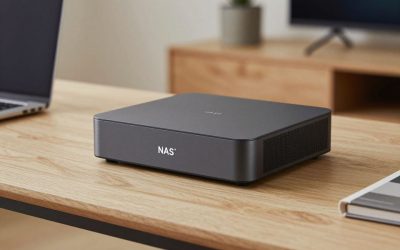
NAS: always-on, accessible from every device on the network
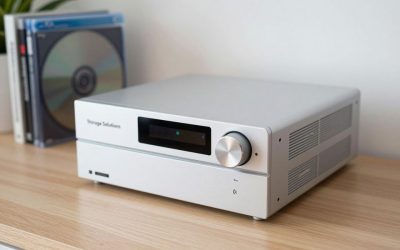
A NAS is a small dedicated computer that stays permanently connected to the home network and hosts storage for every device in the house simultaneously — phones, laptops, smart TVs, and media server software like Plex or Jellyfin can all reach it at the same time without anything being physically plugged into anything else. Most NAS units also support RAID configurations, meaning the overall system keeps working even if one individual drive inside it fails, which a single standalone external hard drive simply cannot do on its own no matter how good that one drive is. Reviewers note that newer multi-bay NAS units with 2.5GbE networking can sustain real-world transfer speeds well above older gigabit-only models, though a direct USB SSD connection will still be faster for any single, one-off large file transfer where network overhead becomes the bottleneck.
Check Synology DiskStation 2-Bay NAS on Amazon
Check UGREEN NASync NAS on Amazon
The drives that go inside a NAS are not the same as external drives
NAS enclosures need drives specifically rated for 24/7 continuous operation — Seagate IronWolf and Western Digital Red Plus are the two most commonly recommended lines specifically because they are built and warrantied for always-on use, unlike a typical external desktop drive that is designed around occasional, intermittent backup sessions rather than running constantly around the clock for years.
Check Seagate IronWolf NAS Hard Drive on Amazon
Check WD Red Plus NAS Hard Drive on Amazon
Which one fits your household?
A single-user setup backing up a laptop or archiving old family photos is well served by a simple external drive — it is cheaper up front, needs zero configuration beyond plugging it in, and does the job without any ongoing maintenance. A household with multiple people, multiple TVs, or a Plex/Jellyfin media server that needs to stay reachable from any device at any hour is the situation NAS is actually built for; the extra setup cost and complexity buys always-on, multi-device access and drive redundancy that a simple USB drive cannot replicate no matter how large its capacity is.
Cost and maintenance to expect
A basic 2-bay NAS plus two NAS-rated drives typically costs noticeably more upfront than an equivalent-capacity external drive, and it draws power continuously since it is designed to stay on around the clock rather than being plugged in only when needed. In exchange, you get drive failure protection through RAID and the ability to reach your media library from any room or any device — a tradeoff worth making for a shared household setup, and a tradeoff rarely worth making for a single person’s personal backup.
A hybrid approach many households land on
It is common to end up using both rather than picking strictly one — a NAS as the always-on hub for streaming media to every TV and device in the house, plus a separate external hard drive that gets plugged in periodically purely for an offline backup copy of the NAS’s contents. That second copy matters more than it might seem, since RAID protects against a single drive failing but does not protect against theft, fire, or accidental mass deletion affecting the NAS as a whole.
Frequently asked questions
Can I upgrade from an external drive to a NAS later without losing my files?
Yes — most NAS setup wizards include a migration or import tool that can copy data from a connected external drive directly onto the new NAS volume, so starting simple with an external drive and upgrading to a NAS later is a reasonable, low-risk path rather than a wasted purchase.
Does a NAS need to be physically connected to a router, or can it work over Wi-Fi?
Most NAS units support Wi-Fi, but a wired Ethernet connection to the router is strongly recommended for sustained 4K media streaming to multiple devices, since Wi-Fi introduces more variability in sustained transfer speed than a direct cable connection does.
How loud is a NAS running continuously in a living space?
Most 2-to-4-bay home NAS units run quietly enough to sit in a living room or office, generating a low fan hum comparable to a desktop PC, though placing it in a closet or media cabinet with some airflow is still a common choice for anyone sensitive to constant background noise.


Write Your Review
No reviews yet. Be the first to share your experience!