Upgrading to a 4K streaming device is one of the cheapest ways to make a TV look noticeably better, especially if your set already supports HDR10, Dolby Vision, or Dolby Atmos but the built-in smart TV software is slow or limited on apps. The right streaming box or stick adds faster navigation, a wider app catalog, and often better picture processing than what ships inside budget TVs. Below are the streaming devices that consistently show up at the top of 2025 comparison roundups, based on their chipset performance, HDR format support, and ecosystem fit.
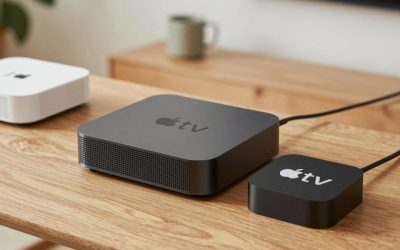
Apple TV 4K (3rd Generation)
The current Apple TV 4K uses the A15 Bionic chip, which review outlets note is noticeably faster than the Roku and Fire TV competition for app loading and menu navigation. It supports Dolby Vision, HDR10+, and Dolby Atmos, and integrates tightly with AirPlay, HomeKit, and the Apple TV+ ecosystem. It is the pricier option in this category, but it is consistently cited as the best pick for households already using iPhones, iPads, or HomeKit smart home devices.
Roku Ultra
Roku devices are repeatedly described as the most beginner-friendly and platform-agnostic option on the market, meaning they do not push any single streaming service over another. The Roku Ultra adds Ethernet support, a lost-remote finder, and a headphone jack on the remote for private listening, while still supporting 4K HDR10+ and Dolby Vision on compatible content. Reviewers highlight it as the most universal choice for people who subscribe to many different streaming apps rather than one ecosystem.
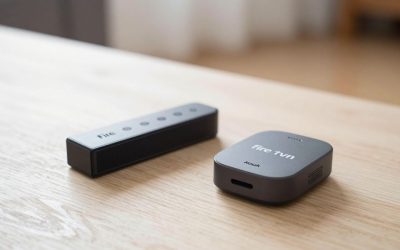
Amazon Fire TV Stick 4K Max
For Amazon Prime and Alexa households, the Fire TV Stick 4K Max is frequently named the best balance of speed, storage, and price. It ships with 16GB of storage, supports Wi-Fi 6, and covers Dolby Vision, HDR10+, and Dolby Atmos. It is a stick-form device, so it is easy to tuck behind a TV, and it integrates directly with Alexa voice control if you already use Echo speakers elsewhere in the home.
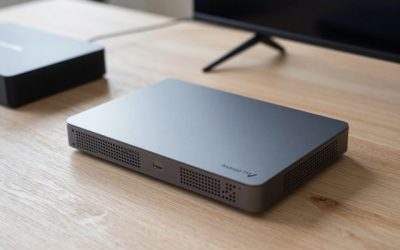
Google TV Streamer (Chromecast with Google TV successor)
Google TV Streamer is the pick reviewers suggest for Android and Google ecosystem households. It plugs directly into an outlet rather than relying purely on a stick form factor, which some testers say helps with Wi-Fi reception. It supports casting from Android phones, Google Photos screensavers, and smart home control through the Google Home app, alongside standard 4K HDR playback.
Whichever device you choose, match it to the ecosystem you already use daily. Apple TV 4K rewards Apple households, Fire TV rewards Amazon and Alexa users, Roku stays neutral across every streaming app, and Google TV Streamer fits best into an Android-centric smart home.
NVIDIA Shield TV Pro
For Plex and Kodi power users, the NVIDIA Shield TV Pro remains the device enthusiast guides point to most, thanks to its Tegra X1+ processor, AI upscaling for lower-resolution content, and genuine hardware transcoding that can run a home media server without choking on multiple simultaneous streams. It costs more than the Fire TV Stick 4K Max, but it is one of the only streaming boxes marketed specifically at people running their own media libraries rather than just subscription apps.
Walmart Onn 4K Pro
Walmart’s Onn 4K Pro has quietly become a favorite among budget-conscious reviewers for undercutting name-brand pricing while still running the full Google TV interface, with Dolby Vision, HDR10+, and Dolby Atmos passthrough. It is not as fast as the Shield TV Pro for app switching, but at a fraction of the price it covers the same core HDR and app-catalog needs for most living rooms.
What to check before buying a 4K streaming device
Confirm which HDR formats your TV actually supports before picking a device — pairing a Dolby Vision streaming box with a TV that only decodes HDR10 does not add Dolby Vision capability to the television, it just means the device can pass through a format the display cannot use. Also factor in Wi-Fi: Wi-Fi 6 devices like the Fire TV Stick 4K Max handle congested home networks noticeably better than older Wi-Fi 5 hardware, which matters more in apartments with many overlapping networks than in a standalone house. Weigh ecosystem lock-in against flexibility too — Apple TV and Fire TV nudge you toward their own storefronts, while Roku and Google TV stay closer to neutral, surfacing whichever apps you already have installed.
Frequently asked questions
Do I need a 4K TV to use a 4K streaming device?
No. Every device on this list also outputs at 1080p and automatically matches whatever resolution your TV supports, so a 4K streaming box still works fine on an older HD television — it simply will not deliver a 4K picture until the display is upgraded.
What is the real difference between Dolby Vision and HDR10+?
Both are dynamic HDR formats that adjust brightness and color scene by scene rather than using one fixed setting for an entire movie. Dolby Vision is a licensed format primarily backed by Apple, LG, and Sony, while HDR10+ is the open-standard version backed by Amazon and Samsung. Most new TVs and streaming devices now support both.
How much onboard storage does a streaming device actually need?
8GB covers basic streaming apps, but if you plan to install several games, multiple streaming apps, or a Plex client with offline downloads, a device with 16GB or more, like the Fire TV Stick 4K Max, avoids having to uninstall apps later just to make room for updates.
Write Your Review
No reviews yet. Be the first to share your experience!