Streaming devices span a wide price range — from roughly $30 sticks to $200-plus boxes aimed squarely at enthusiasts. The honest answer to whether the upgrade is worth it depends entirely on what you already own: a capable 4K HDR TV benefits from a premium device far more than an older 1080p set ever will, and no amount of extra processing power fixes a TV panel that cannot display the extra detail in the first place.
Budget pick: Roku Express 4K+
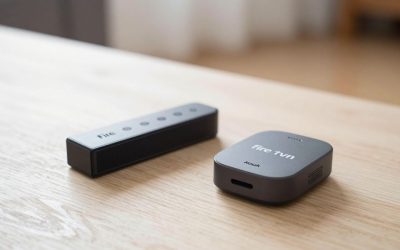
The Roku Express 4K+ covers the basics that most households actually use day to day — 4K HDR playback, a voice remote, and access to every major streaming app — for a fraction of the cost of flagship devices. It uses a slower processor than Roku’s pricier models, so menu navigation and app loading are noticeably less snappy under the hood, and it lacks Dolby Vision support on some content compared to the Ultra. For a guest bedroom, a kids’ room, or a second TV that does not get daily heavy use, it does the job without overspending on hardware that will mostly sit idle.
Check Roku Express 4K+ on Amazon
Budget pick: Amazon Fire TV Stick HD
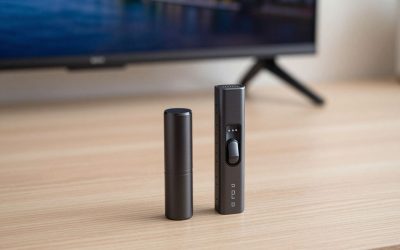
If the TV in question is not 4K, the Fire TV Stick HD is the more sensible budget buy — there is no reason to pay for 4K decoding hardware the television cannot physically display. It still supports full Alexa voice control and the complete Fire TV app catalog, so you are not giving up software features, only the resolution ceiling that your older TV could not use anyway.
Check Amazon Fire TV Stick HD on Amazon
Premium pick: Apple TV 4K
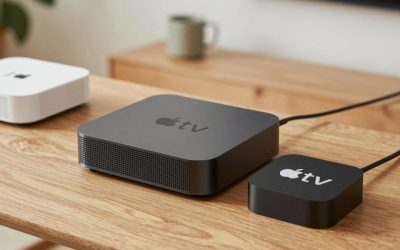
Apple TV 4K is consistently the fastest device in app-launch and menu-navigation comparisons, thanks to using the same class of chip found in iPhones and iPads rather than a stripped-down streaming-box processor. It supports Dolby Vision, HDR10+, and Dolby Atmos pass-through, and adds AirPlay, HomeKit integration, and tighter built-in parental controls than entry-level sticks typically offer. The jump in price buys noticeably smoother day-to-day use across years of ownership, not just better specs on a comparison chart that stop mattering after the first week.
Premium pick: Nvidia Shield TV Pro
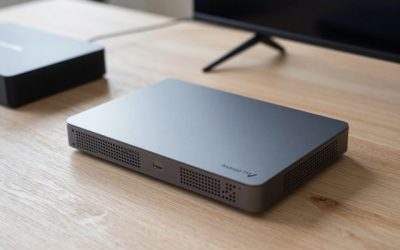
Shield TV Pro is aimed squarely at power users — it is frequently recommended for Plex server hosting, AI-upscaling of lower-resolution content to look sharper on a 4K panel, and advanced app sideloading that locked-down sticks do not permit. It costs more than any Roku or basic Fire TV Stick, and most casual streamers will not need its extra horsepower, but media-server hobbyists consistently point to it as the one device that does not bottleneck a serious 4K home theater setup running multiple simultaneous streams.
Check Nvidia Shield TV Pro on Amazon
Is the upgrade worth it?
If your TV only supports 1080p or basic HDR, a budget stick will not leave noticeable performance on the table, and the money saved is better spent elsewhere in the setup — on cabling, a soundbar, or a mount. If you own a capable 4K HDR or Dolby Vision television, a premium device unlocks picture quality your current budget stick may genuinely be throttling, and the snappier interface becomes something you notice every single time you turn the TV on, not just in a side-by-side demo. The upgrade is most worth it for a primary living-room TV that gets used for hours daily; it is rarely worth it for a secondary or guest-room screen that sees occasional use.
Signs you have outgrown your current device
A few practical tells that it is time to move up a tier: apps regularly need a restart or crash mid-episode, the home screen takes several seconds to respond after waking from sleep, or you find yourself avoiding 4K content because playback stutters. None of those are things a faster home internet plan fixes — they point specifically at the streaming device’s processor and memory being undersized for what you are asking it to do.
A note on storage and sideloading
Budget sticks generally ship with 8GB of internal storage, which fills up faster than expected once a handful of streaming apps and their cached thumbnails are installed, occasionally forcing you to uninstall an app just to install a new one. Premium devices like Apple TV 4K and Shield TV Pro ship with more onboard storage and, in Shield TV Pro’s case, support for installing apps outside the standard app store entirely — a feature casual streamers never touch but one that matters a great deal to the Plex and home-media-server crowd specifically.
Remote control differences across tiers
Budget devices generally ship with a simplified voice remote that covers power, volume, navigation, and voice search but skips extras. Premium remotes add things like a Find My Remote chirp feature, backlit buttons for use in a dark room, and in Apple TV’s case a touch-sensitive clickpad borrowed from the iPod click wheel for faster scrubbing through video. None of these are essential, but long-time owners of premium devices consistently mention the remote itself as a quality-of-life difference they would not want to give up once they are used to it.
Write Your Review
No reviews yet. Be the first to share your experience!