Cutting cable does not mean giving up live channels. Live TV streaming services like Sling TV, YouTube TV, Fubo, and DirecTV Stream now replicate a traditional cable guide, and pairing them with the right streaming device makes channel surfing feel just as familiar as it did with a cable box. Here is what 2025 cord-cutter roundups point to as the strongest hardware picks for live TV streaming specifically.
Roku Ultra
The Roku Ultra is repeatedly named a top pick for cord-cutters because of how cleanly it surfaces live TV channels from apps like Sling TV and YouTube TV directly in its home screen and universal search, in addition to supporting 4K HDR10+, Dolby Vision, and Dolby Atmos for the on-demand catalog side of streaming.
Walmart Onn 4K Plus
PCWorld’s 2025 cord-cutter awards named the budget-priced Onn 4K Plus the best new streaming player of the year, noting it outperformed some pricier Roku sticks in testing while including Dolby Vision, Atmos, and 16GB of storage, all around the $30 mark.
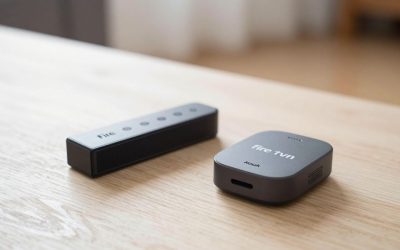
Amazon Fire TV Stick 4K Max
For households already paying for Amazon Prime, the Fire TV Stick 4K Max doubles as a strong live TV hub, since Sling TV, YouTube TV, and Fubo all have polished Fire TV apps, and Alexa voice search can jump straight to a live channel or sports broadcast.
Apple TV 4K
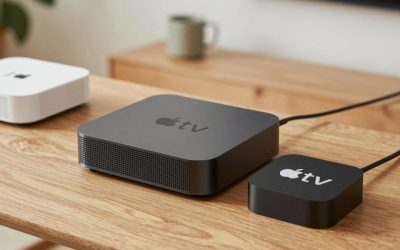
Apple TV 4K is the pick for cord-cutters already inside the Apple ecosystem. The tvOS “Watch Now” row integrates live sports and news from supported services, and the device’s A15 Bionic chip keeps channel switching fast, which matters more for live TV than for on-demand binge-watching.
Before buying hardware, confirm which live TV service you plan to subscribe to and check that it has a polished app for that device, since app quality on live channel surfing can vary more between Roku, Fire TV, and Apple TV than the hardware specs themselves.
TiVo Stream 4K
Built specifically with live TV in mind, the TiVo Stream 4K surfaces a unified channel guide across live TV apps and supports voice search that can jump straight to a specific channel or show, which cord-cutters moving from traditional cable often find closes the gap with a familiar guide-based experience more than a typical streaming-first interface does.
Google TV Streamer
Google TV Streamer’s “Live” tab aggregates channels from YouTube TV, Sling, and other connected live TV apps into one scrollable guide, and its always-on plug-in design (rather than a stick tucked behind the TV) avoids the Wi-Fi signal loss some users report with HDMI-stick form factors during live sports streaming.
Matching hardware to your live TV service
Before buying hardware, test-drive the actual app for your chosen live TV service on a friend’s device or a phone if possible, since app polish varies more by platform than most buyers expect — a live TV app that feels smooth on Fire TV can occasionally feel noticeably laggier on a budget Roku model with less processing headroom, especially during channel changes or DVR playback.
Frequently asked questions
Do I need a strong internet connection for live TV streaming?
Yes — live TV streaming needs a steady connection of at least 10-25 Mbps per simultaneous 4K stream, and unlike on-demand video it cannot buffer ahead of time, so a weak or congested Wi-Fi connection shows up immediately as freezing or dropped quality during live sports or news.
Can I record live TV with a streaming device the way I could with a DVR?
Most live TV streaming services (YouTube TV, Fubo, DirecTV Stream) include cloud DVR functionality built into their app, so the recording happens on the service’s servers rather than on the streaming device itself, meaning any supported device can access the same cloud recordings.
Is a smart TV’s built-in live TV app good enough instead of a separate streaming device?
Built-in smart TV apps are usually fine for a year or two after purchase, but they get software updates far less frequently than a dedicated Roku, Fire TV, or Google TV device, so live TV apps on older smart TVs are more likely to feel outdated or occasionally break compared to refreshing a $30-50 external streaming device.
Which matters more for live TV: the streaming device or the internet connection?
The internet connection matters more day to day — any of the devices in this list can handle live TV smoothly once they decode 4K HDR, but a weak router, an overloaded Wi-Fi band, or an ISP plan under 25 Mbps will cause buffering regardless of which streaming box is plugged in, so troubleshoot the network first if live channels stutter even on a capable device like the Roku Ultra or Apple TV 4K.
Can I use one streaming device for multiple live TV services at once?
Yes — nothing about the hardware limits you to one live TV app, and many cord-cutters run two overlapping services temporarily (for example keeping YouTube TV for local channels while trialing Fubo for sports), so the streaming device itself is rarely the limiting factor; monthly subscription cost is the real constraint on running multiple live services simultaneously.
Do live TV streaming apps support multiple user profiles on one device?
Most do — YouTube TV, Sling, and similar services support several household profiles with separate favorites and viewing history, and the streaming device itself (Roku, Fire TV, or Apple TV) typically supports its own separate device profiles on top of that, so a shared living room box can still feel personalized for each family member.
Write Your Review
No reviews yet. Be the first to share your experience!